Section guide Front page designs
Front Page Design for Project Files: Simple, Creative and Printable Layouts
Front page design ideas for project files: simple, black and white, butterfly, peacock and cute layouts on A4, with sizes, pens, time and a 7 step method.
- 12sheets
- 4facts per card: pattern, tools, skill, time
- 23 Novlast checked

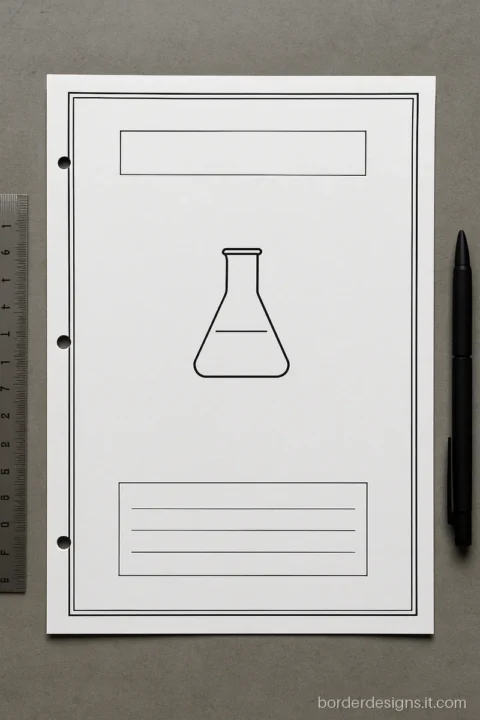
A good front page design does three jobs: it tells the teacher what the file is, whose it is, and that you took care. Almost every layout that scores well uses the same plan, a title band at the top, one picture in the middle third and a details box at the bottom, so this page starts from that plan and changes the decoration.
The twelve cards below are finished A4 front pages, from a ten minute line layout to a peacock cover that needs an evening. Each card gives the paper, pens, level and time, with notes on where the title sits and how wide to keep the margin. Pick one that matches the time you have tonight.
Need a front page for one subject? Go straight to the science project front pages, English front pages, maths project front pages or SST front pages. A full list of every front page on the site is near the end.
All 12 sheets at a glance
| No. | Sheet | Skill | Time |
|---|---|---|---|
| 01 | Double line, title band | Very easy | 15 minutes |
| 02 | Centre circle, corner dots | Easy, class 3 plus | 20 minutes |
| 03 | Quarter mandala corners | Medium, class 6 plus | 45 minutes |
| 04 | White vine, silver box | Easy, class 5 plus | 30 minutes |
| 05 | Rising butterfly trail | Easy, class 4 plus | 40 minutes |
| 06 | Peacock feather sweep | Medium, class 7 plus | 1 hour |
| 07 | Printed floral corners | Very easy | 10 minutes |
| 08 | Three stacked colour blocks | Easy, class 5 plus | 25 minutes |
| 09 | Open book, ribbon title | Easy, class 3 plus | 35 minutes |
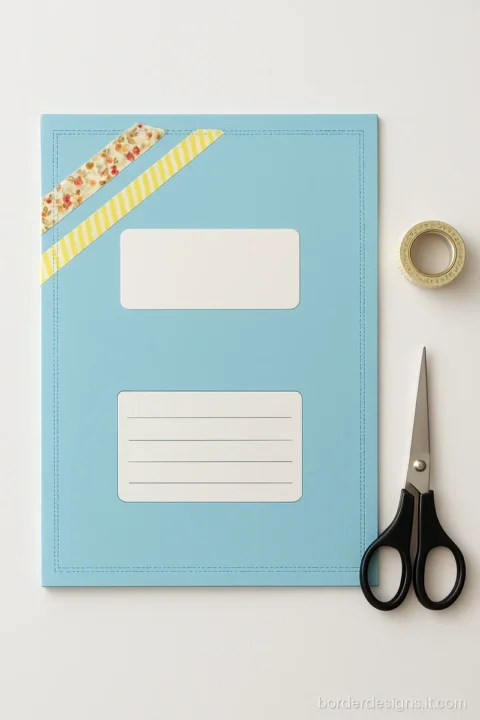
| 10 | Tape strips, name plate | Very easy | 15 minutes |
| 11 | Teddy holding title board | Easy, class 1 plus | 30 minutes |
| 12 | Peeping panda, bamboo side | Easy, class 2 plus | 35 minutes |
01Simple Front Page Design for Project Work
These two are the easy front page design choices for a night before deadline. Each needs one ruler, a black pen and two colours, and still has every detail a teacher checks.

Double line, title band
Black 0.5 mm pen, blue sketch pen
- SkillVery easy
- Time15 minutes
A ruled double frame, a shaded band for the title and a neat box for details. It is the layout most teachers expect and it fits any subject.
How to draw it: 4 steps
- Outer line sits 1 cm in from the paper edge; the inner line 4 mm further in.
- Make the title band 4 cm tall, starting 2 cm below the top line.
- Leave the middle 9 cm empty for one small drawing or a pasted picture.
- Colour only the band, in light blue, so the title stays easy to read.
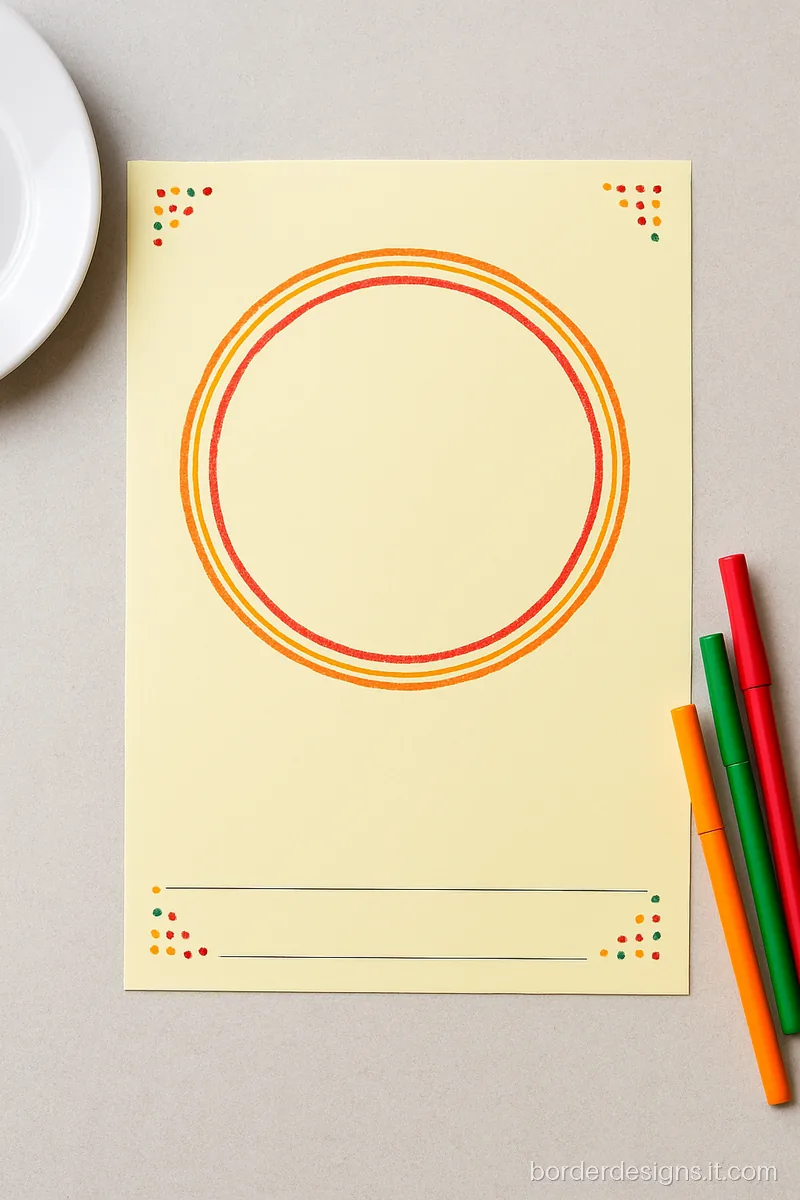
Centre circle, corner dots
Plate to trace, sketch pens
- SkillEasy, class 3 plus
- Time20 minutes
A round frame traced from a plate becomes the centre of the page, with tiny dots in the corners. This round front page design looks planned even when drawn in twenty minutes.
How to draw it: 4 steps
- Trace a quarter plate, about 15 cm across, with its centre 12 cm from the top.
- Draw a second circle 5 mm inside the first with a lighter colour.
- Put three dots in each corner, in a small triangle, 1.5 cm from the edge.
- Write the title inside the circle and the details in two lines below it.
02Black and White Front Page Design Ideas
One black pen is enough for a front page sketch design that photocopies cleanly. The second card flips the idea and uses light ink on dark paper.
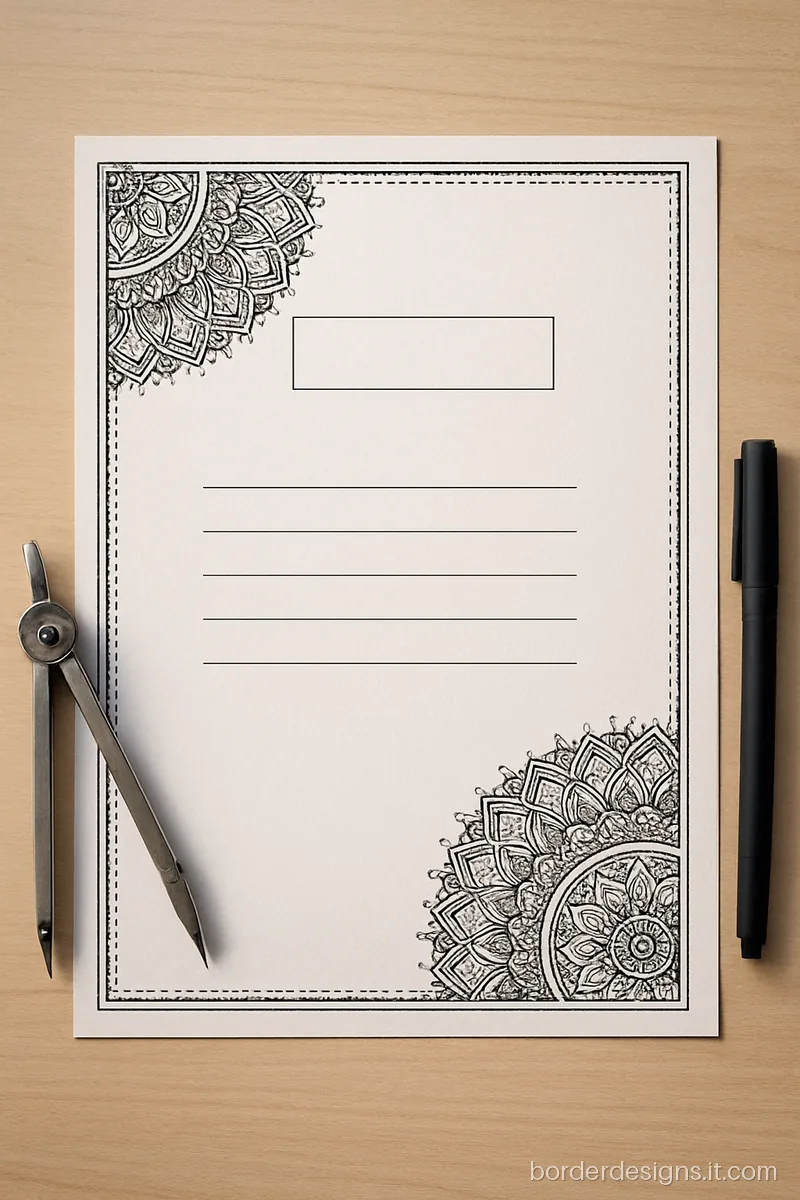
Quarter mandala corners
0.3 and 0.7 mm black fineliners
- SkillMedium, class 6 plus
- Time45 minutes
Quarter mandalas in two corners and a thin ruled frame give a front page that looks detailed without any colour. It also prints and photocopies well, so it works as a front page design printable black and white.
How to draw it: 4 steps
- Use a compass at the corner point and draw arcs at 2, 3.5 and 5 cm.
- Fill each ring with one pattern: dots, petals, then small triangles.
- Use the thick pen for the arcs and the thin pen for the filling.
- Keep the opposite two corners plain so the page does not look heavy.

White vine, silver box
White gel pen, silver marker
- SkillEasy, class 5 plus
- Time30 minutes
White and silver lines on black chart paper stand out on a shelf of plain files. Cut it to A4 and stick it on the cover so the inside pages stay white.
How to draw it: 4 steps
- Mark guide points with a white colour pencil; graphite does not show on black.
- Keep the vine one and a half centimetres in; sprout a leaf at 2.5 cm gaps.
- Draw the title box in silver, 15 cm wide, with rounded corners.
- Let gel ink dry for 5 minutes before you touch the page.
03Creative Front Page Design for Project: Butterfly and Peacock
A creative front page design for project files usually means one bold picture. These two are the motifs students ask for most, and both can be made unique by changing the colour pair.
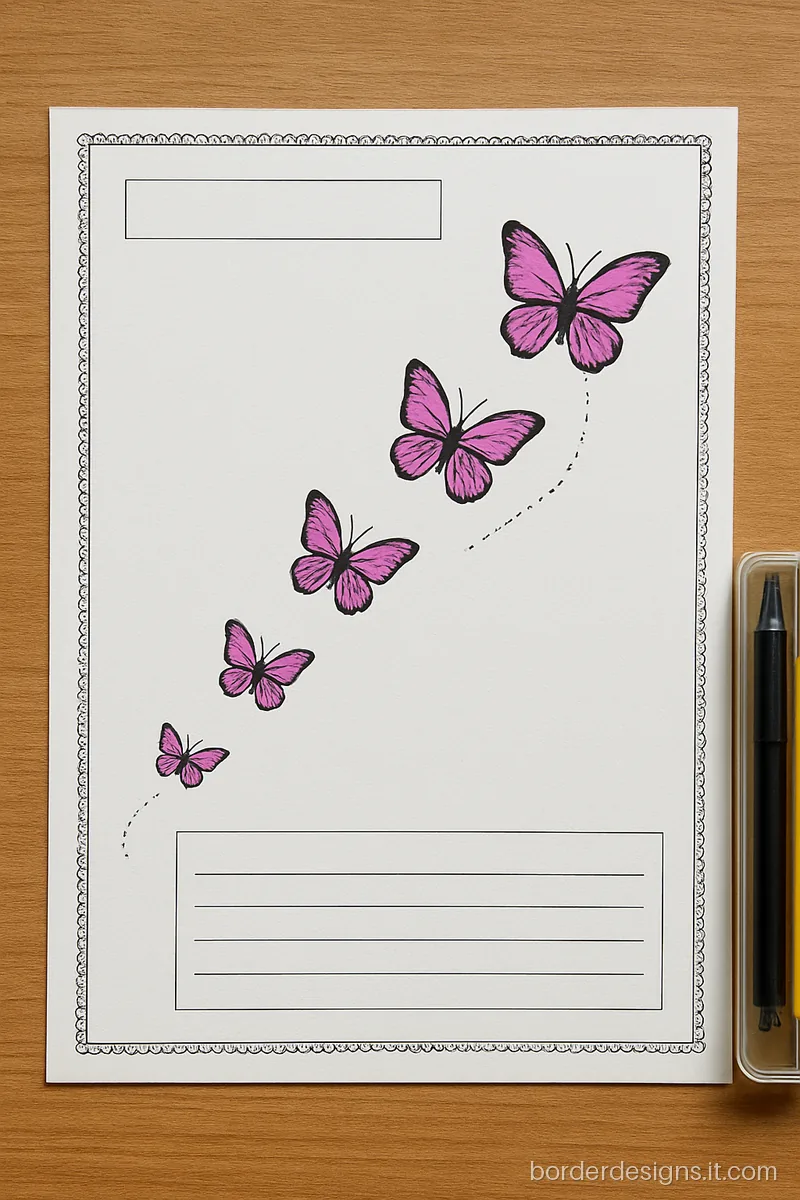
Rising butterfly trail
Sketch pens, black gel pen
- SkillEasy, class 4 plus
- Time40 minutes
Five butterflies of growing size rise from the bottom left to the top right, which pulls the eye across the page. It is an attractive front page design for EVS, science or art.
How to draw it: 4 steps
- Start with a 2 cm butterfly and make each next one about 1 cm wider.
- Draw a light dotted flight path between them before you ink the wings.
- Use only two wing colours, for example pink with purple tips.
- Keep the title band on the left half, away from the biggest butterfly.

Peacock feather sweep
Brush pens, gold gel pen
- SkillMedium, class 7 plus
- Time1 hour
Two long feathers sweep up from one corner and frame the title from the side. A project front page design peacock style looks rich with only three colours.
How to draw it: 4 steps
- Draw each feather spine as one smooth curve about 20 cm long.
- Place the eye of the feather 3 cm from its tip: dark blue, teal, then gold.
- Green barbs fan out on both sides, growing longer as they approach the eye.
- Put the title band on the side opposite the feathers so they frame it.
04A4 Sheet Front Page Design and Printable Layouts
If you plan to print, draw or design at true A4 size, 21 by 29.7 cm, so nothing gets cut. The first card is a front page design printable in colour; the second is a hand drawn A4 size paper front page design with a ruled grid.

Printed floral corners
Home printer, A4 sheet, black pen
- SkillVery easy
- Time10 minutes
Printed flower corners and a soft coloured title strip, with the details filled in by hand after printing. A quick fix when there is no time to draw.
How to draw it: 4 steps
- Print at 100 percent scale so the border keeps an even margin.
- Use 100 gsm paper if you can; thin paper curls inside a file.
- Leave the title strip empty and write it by hand in a dark pen.
- Expect about 4 mm of blank edge; most home printers cannot reach the edge.
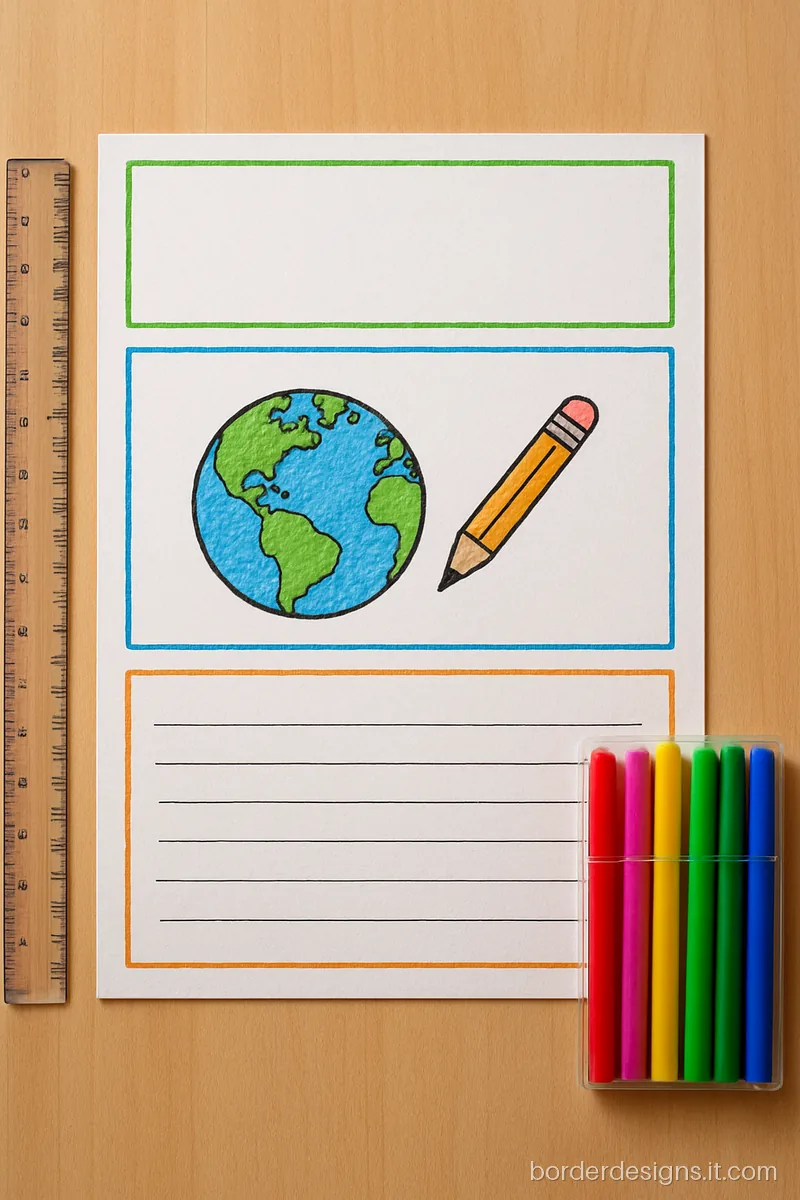
Three stacked colour blocks
Sketch pens, 30 cm ruler
- SkillEasy, class 5 plus
- Time25 minutes
Three stacked blocks, each with its own colour, keep the title, picture and details apart. A good front page design with sketch pen for class 5 to 8.
How to draw it: 4 steps
- Divide the page inside a 1.5 cm margin into 6, 14 and 7 cm blocks.
- Outline the top block in green, the middle in blue, the bottom in orange.
- Draw the subject picture only in the middle block, 10 cm wide at most.
- Rule four light lines in the bottom block for name, class, roll and school.
05Book, Diary and Register Front Page Design
Front pages are not only for project files. A book front page design or a register cover follows the same plan, but the details box gets smaller and the picture can be larger.
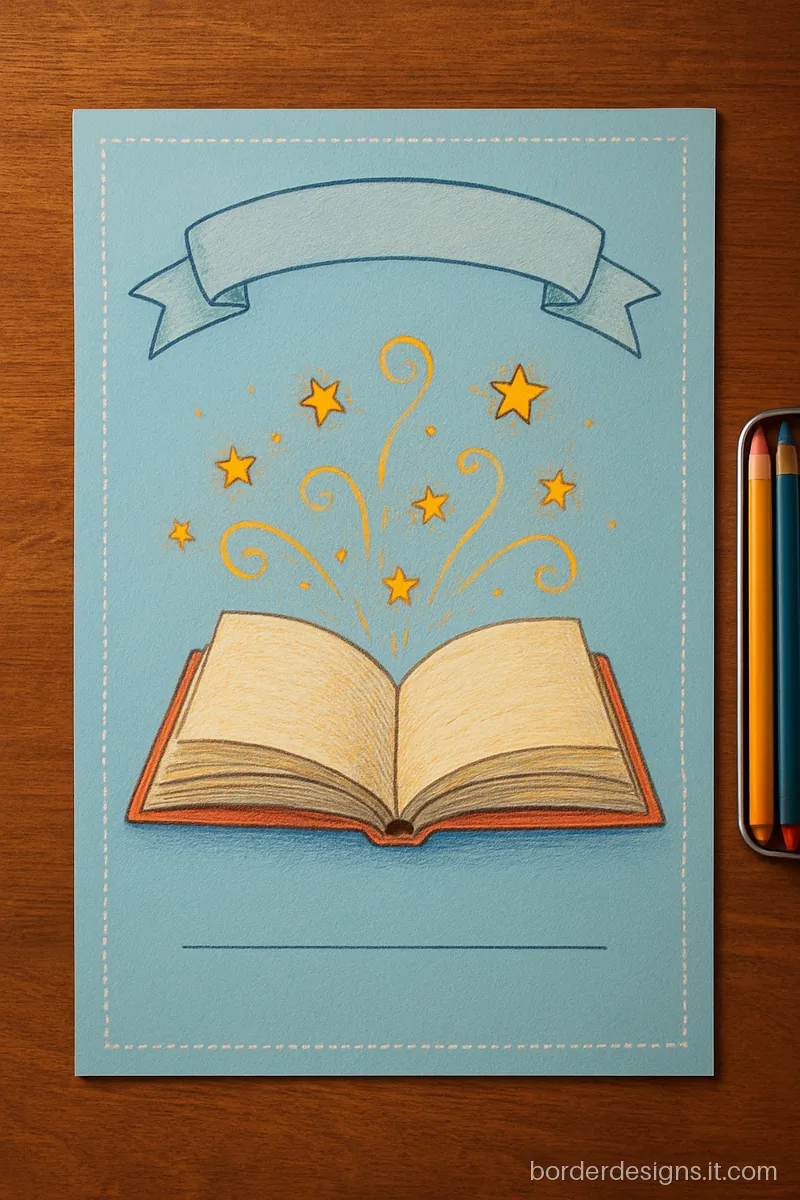
Open book, ribbon title
Colour pencils, black fineliner
- SkillEasy, class 3 plus
- Time35 minutes
An open book with small stars rising from its pages fills the middle, and a ribbon shape holds the title. It suits a story book, activity book or reading log.
How to draw it: 4 steps
- Draw the open book 12 cm wide, with its spine on the centre line.
- Curve the ribbon 2 cm above the book, with folded ends on both sides.
- Colour the stars yellow and the book pages very light grey.
- Skip the full details box; one name line and one class line is enough.
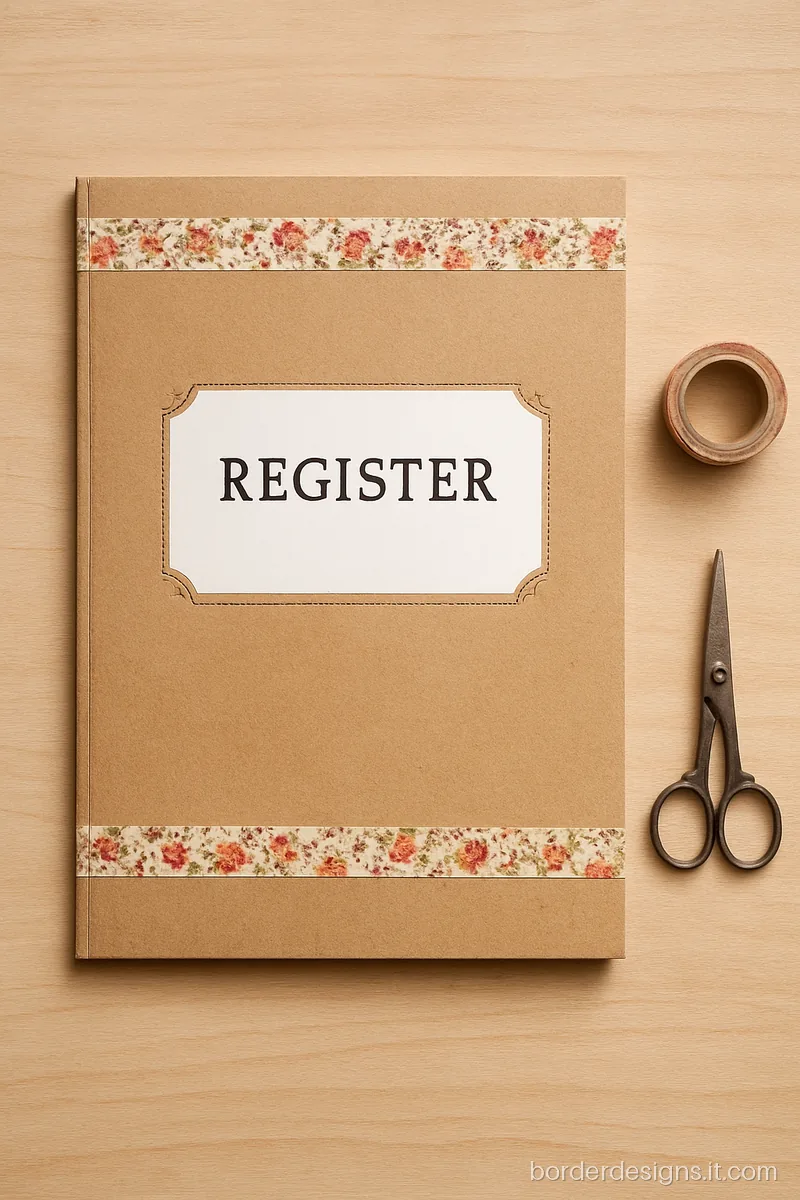
Tape strips, name plate
Patterned paper tape, brown sheet
- SkillVery easy
- Time15 minutes
Two overlapping bands of floral tape near the top edge and a neat name plate in the middle make a register or diary cover that survives daily use.
How to draw it: 4 steps
- Lay the tape strips 3 cm and 5 cm below the top edge, slightly overlapping.
- Cut the name plate from white paper, 12 x 6 cm, with clipped corners.
- Stick the plate 10 cm from the top so the cover looks balanced.
- A clear cover film on top keeps the tape from peeling.
06Cute Front Page Design for Kids: Teddy, Panda and Bow
For class 1 to 5, bold shapes and bright colours work better than fine detail. Both layouts can be drawn with a bangle, a bottle cap and sketch pens.
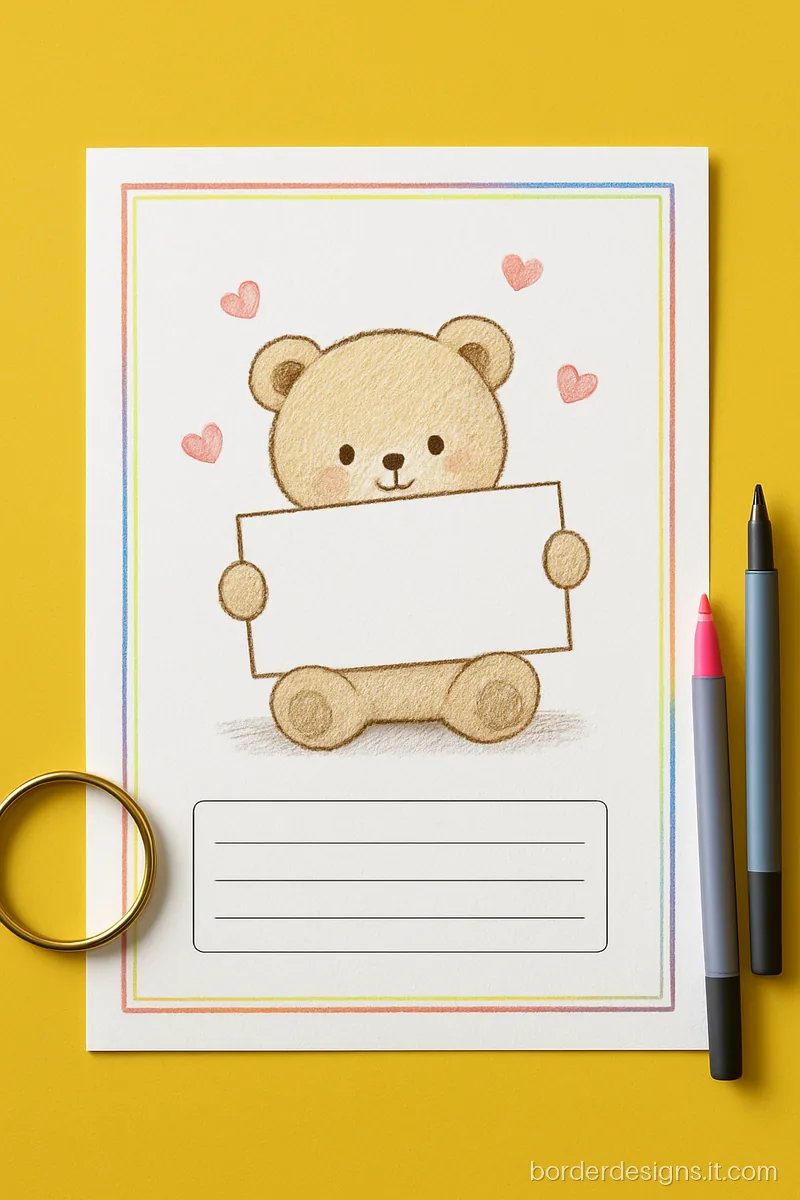
Teddy holding title board
Brown and pink sketch pens
- SkillEasy, class 1 plus
- Time30 minutes
A round teddy holds a board for the title, so the picture and the title become one. Young students love it and it is quick to colour.
How to draw it: 4 steps
- Trace a bangle for the head and a bottle cap for each ear.
- Draw the title board 14 x 6 cm, with the paws on its two top corners.
- Use light brown for the fur and a darker brown only for outlines.
- Add four small hearts in a ring around the bear, nothing more.
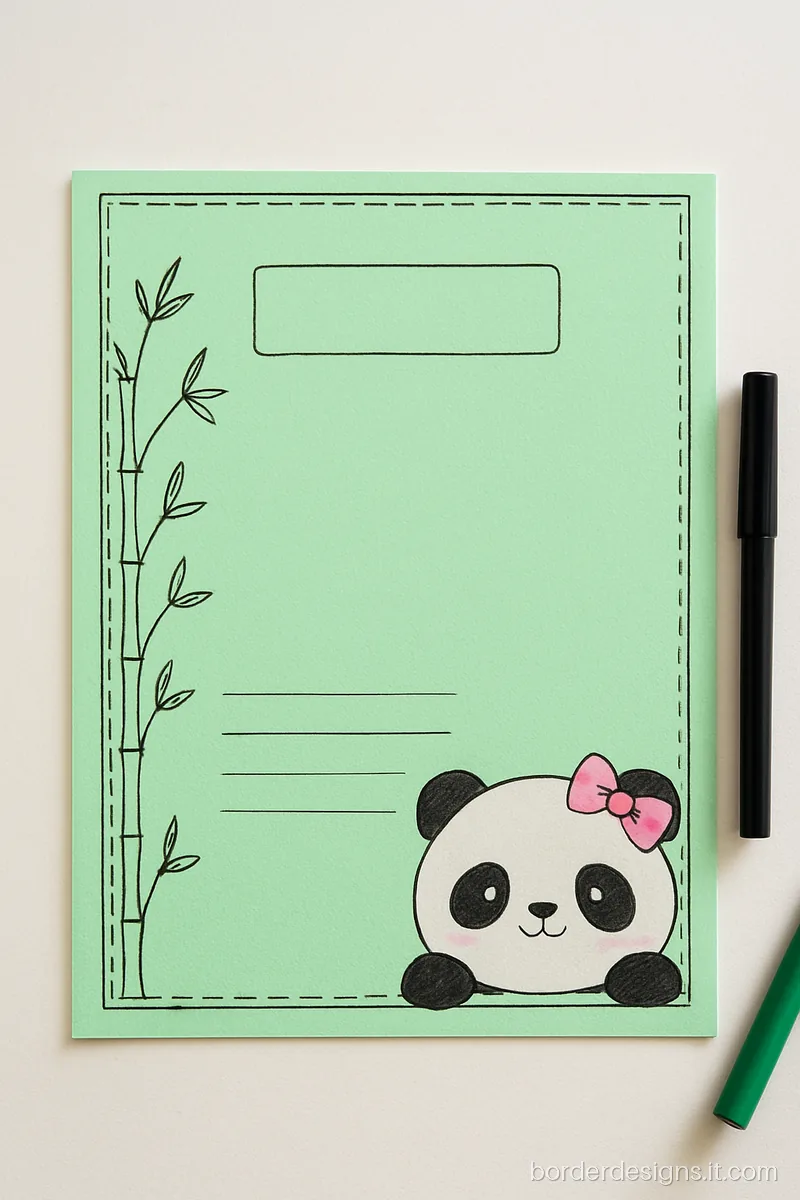
Peeping panda, bamboo side
Black and green sketch pens
- SkillEasy, class 2 plus
- Time35 minutes
A panda peeps from the bottom corner with a pink bow on one ear, and bamboo stalks climb the left side. A panda front page design or bow front page design in one.
How to draw it: 4 steps
- Draw the panda head as a 7 cm circle cut off by the bottom edge.
- Make the eye patches tilted ovals; leave a white dot in each eye.
- Bamboo is just tall rectangles, each 3 cm, joined by a ring and one leaf.
- Colour the bow pink and repeat that pink in the title box outline.
What Goes on a Front Page
Before you draw anything, write the details on rough paper and count the lines. Most school front pages need six to eight lines, and the box at the bottom must fit all of them without squeezing.
| Detail | Where it usually goes | Tip |
|---|---|---|
| Project or assignment title | Top band, biggest writing | Keep it to two lines; shorten long titles |
| Subject | Just under the title, or in the band | One word in capitals is enough |
| Name, class and section | Details box | Write class and section on one line |
| Roll number | Details box | Same line as class if space is short |
| School name and session | Bottom line or top of the box | Write the session as your school writes it |
| Submitted to and submitted by | Two columns in the details box | Teacher on the left, student on the right |
A college file needs more: the course, which semester, your enrolment code and who guided you. For that longer list see the college assignment front pages and the formal report front page layouts.
Front Page Design Layout Plan for an A4 Sheet
Your sheet measures 21 by 29.7 cm. Start the border a centimetre or a little more inside the paper edge, then split the inside into three zones. The sizes below are a starting point; move a zone by a centimetre if your picture needs more room.
| Zone | Height | What goes in it |
|---|---|---|
| Top margin and border | 1 to 1.5 cm | Border line or pattern only |
| Title band | 5 to 7 cm | Title and subject |
| Picture zone | 10 to 12 cm | One drawing, sticker or pasted picture |
| Details box | 6 to 8 cm | Name, class, roll, school, submitted to and by |
| Bottom margin and border | 1 to 1.5 cm | Border line or pattern only |
Leave at least 1 cm of blank space between the border and any writing. Pages that break this rule look crowded even when the drawing is good.
How to Make a Front Page Design in 7 Steps
- Choose the sheet. A 120 to 200 gsm drawing sheet holds sketch pens without bleeding. Thin printer paper is fine for pencil and gel pen.
- Mark the margin. Measure 1.5 cm in from each edge at both ends of every side, then join the dots with a light HB line.
- Box the three zones. Draw the title band, the picture zone and the details box in pencil using the plan above.
- Draw the border corners first. If the border has a repeat, mark it along each side now, for example every 2 cm, so it meets evenly.
- Draw the centre picture. Keep it under 12 cm wide. One clear picture beats four small ones.
- Ink and wait. Trace over the pencil in black ink: a 0.5 mm tip for detail, 0.7 mm for the frame. Give the ink 2 to 5 minutes before you erase the pencil.
- Colour and write. Use two or three colours plus black. Write the title last, in pencil first, so it sits in the centre of the band.
A plain layout like the double line card takes about 15 minutes; a peacock or mandala page can take an hour or more. If you want every page of the file to match, see project file decoration.
Brush Pen, Sketch Pen and Gel Pen: Which to Use Where
| Tool | Best for | Watch out for |
|---|---|---|
| Black fineliner 0.3 to 0.8 mm | Border lines, outlines, mandala detail | Wait for it to dry before erasing |
| Sketch pens | Filling bands, bold shapes, cute motifs | Bleed through thin paper; go over an area only once |
| Brush pens | Feathers, leaves, thick and thin title strokes | Hold at a low angle for thin lines |
| Gel pens | Fine detail, white or gold on dark paper | Smudge easily; work from left to right |
| Colour pencils | Soft shading on story book and flower pages | Press lightly or the strokes show |
A front page design with brush pen looks best when the title is the only brush lettering on the page. Use a fineliner for everything else so the two styles do not fight.
Browse Every Front Page on the Site
Each page below has its own set of finished layouts with sizes and notes.
- Assignment front pages for everyday homework sheets
- Handmade school project front pages with cut paper and craft
- Front pages built around a border
- Creative assignment front pages with one bold idea
- Aesthetic project cover pages in soft colours
- Cover page designs for project files
- Holiday homework front pages for summer and winter breaks
- Notebook and diary front pages
- Flower front pages
- College assignment front pages
- Birthday and greeting card fronts
- Report, seminar and thesis front pages
- Portfolio front pages
- Practical file front pages
- Open university project cover page
For subjects, start at the science, English, maths and SST front page hubs.
More subject front pages in this section: computer project front pages, business studies and economics cover pages, yoga, art and music front pages. They follow the same three part layout with motifs chosen for that subject.
Maths students: the maths project front page guide has geometry tool motifs, graph paper layouts and cute cover ideas.
Questions students ask
What is the best front page design for project files?
The best one is the layout your teacher can read in two seconds: a clear title band at the top, one subject picture filling the middle third, and a ruled details panel lower down. Choose decoration that matches the subject and keep the margin even on all four sides.
How do I make a simple front page design for project work in 15 minutes?
Rule a double line border 1 cm from the edge, shade a title band near the top in one light colour, and draw a details box with four lines near the foot of the page. If minutes remain, sketch one small subject picture in the empty centre.
Which pens work best for a front page design on black paper?
White gel pens, gold and silver markers and neon sketch pens show up well on black. Mark your guide lines with a white colour pencil, since graphite is nearly invisible, and let the gel ink dry before touching it.
Is a printable front page design allowed in school?
Many teachers accept a printed border as long as the title and details are handwritten neatly. Some art and handmade project files must be fully drawn, so check with your teacher first. Always print at 100 percent scale.
What are some unique front page design ideas for a project?
Try a single motif that grows across the page, like the butterfly trail, or a large feather or vine that frames the title from one side. Unique pages usually change the position of the picture, not the number of pictures.
How big should the name design on a front page be?
Keep the name line in the details box about the same size as the other details, with letters around 6 to 8 mm tall. The title should be the biggest writing on the page, roughly twice the size of the name.
Every page in this section
 Assignment front page design12 sheets with steps
 Handmade school project front pages12 sheets with steps
 Border front pages12 sheets with steps
 Creative assignment front pages12 sheets with steps
 Aesthetic project cover page12 sheets with steps
 Cover page design for project12 sheets with steps
 Holiday homework front page design10 sheets with steps
 Notebook front page design10 sheets with steps
 Flower front page design8 sheets with steps
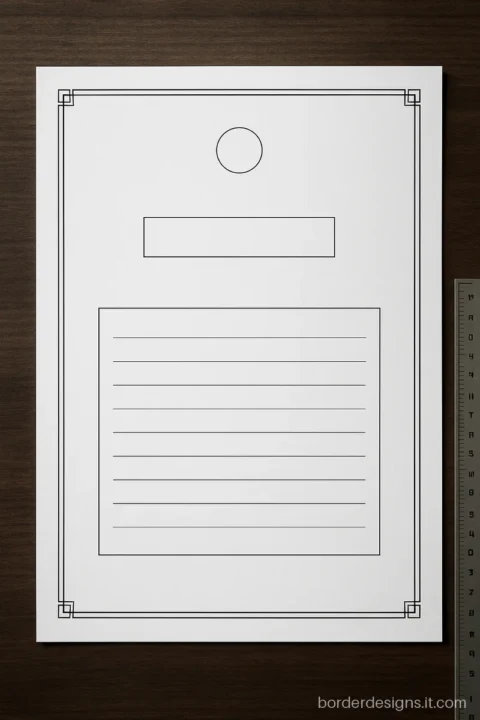 College assignment front page design8 sheets with steps
 Birthday card front page design8 sheets with steps
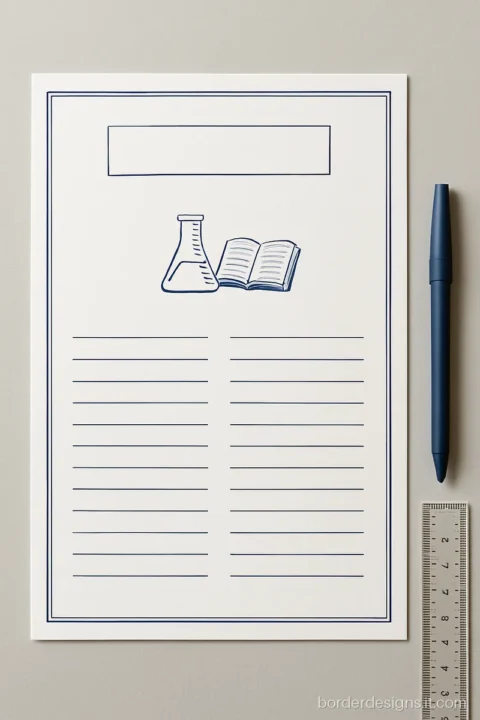 Report front page design8 sheets with steps
 Portfolio front page design6 sheets with steps
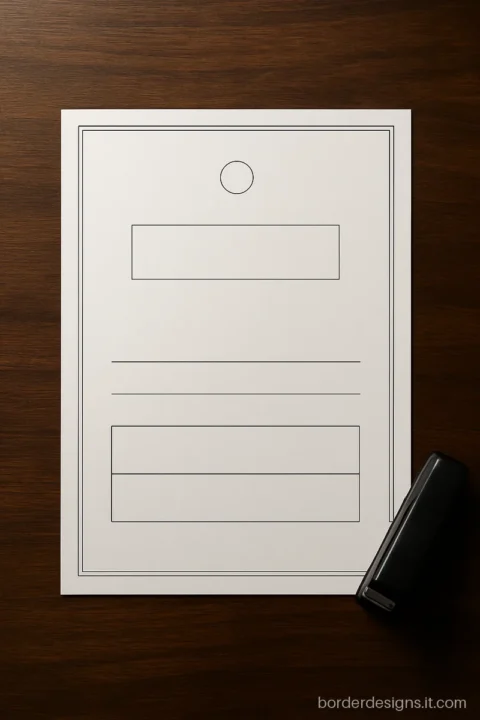 IGNOU project cover page6 sheets with steps
 Practical file front page design6 sheets with steps