Sheets with steps Maths, computer and more
Computer Project Front Page Design for School, IT and Internship Files
Computer project front page design ideas for class 10 and 12, IT, internship and holiday homework files: layouts, motifs, pens, time and notes for each.
- 10sheets
- 4facts per card: pattern, tools, skill, time
- 23 Novlast checked
A computer project front page design works best when it borrows shapes from the machine itself: keys, a screen outline, circuit tracks, a cursor. Those shapes are mostly straight lines and rectangles, which means a ruler does half the drawing for you.
The ten covers below are grouped by need: aesthetic, board classes, handmade, information technology, and internship or entrepreneurship reports. Each picture keeps the title and details areas empty so you can see the layout clearly. Fill them in with your own project name, class, roll number and teacher.
Most schools ask for the same details on every cover; the maths and other subject front pages show the standard order. For a matching frame on the inside pages, see the computer border designs.
All 10 sheets at a glance
| No. | Sheet | Skill | Time |
|---|---|---|---|
| 01 | Laptop outline, clouds | Easy, class 6 plus | 50 minutes |
| 02 | Pastel keycap rows | Medium, class 7 plus | 1 hour |
| 03 | Circuit corners, monitor | Medium, class 9 plus | 1 hour |
| 04 | Navy band, double frame | Medium, class 11 plus | 1 hour |
| 05 | Cut paper keyboard | Easy, class 5 plus | 1 hour |
| 06 | Mouse cable border | Easy, class 3 plus | 45 minutes |
| 07 | Network nodes and cloud | Easy, class 7 plus | 45 minutes |
| 08 | Device icon band | Medium, class 9 plus | 1 hour |
| 09 | Striped corner triangles | Easy, college level | 40 minutes |
| 10 | Bulb, gears, rising graph | Medium, class 11 plus | 1 hour |
01Aesthetic Cover Page for Computer Project
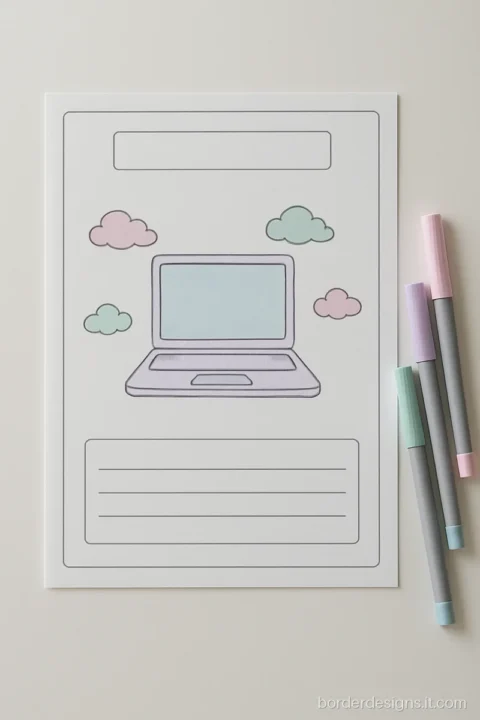
Soft colours and one clean device outline give a calm, modern look. Both suit a computer project front page design aesthetic enough for a journal style file.
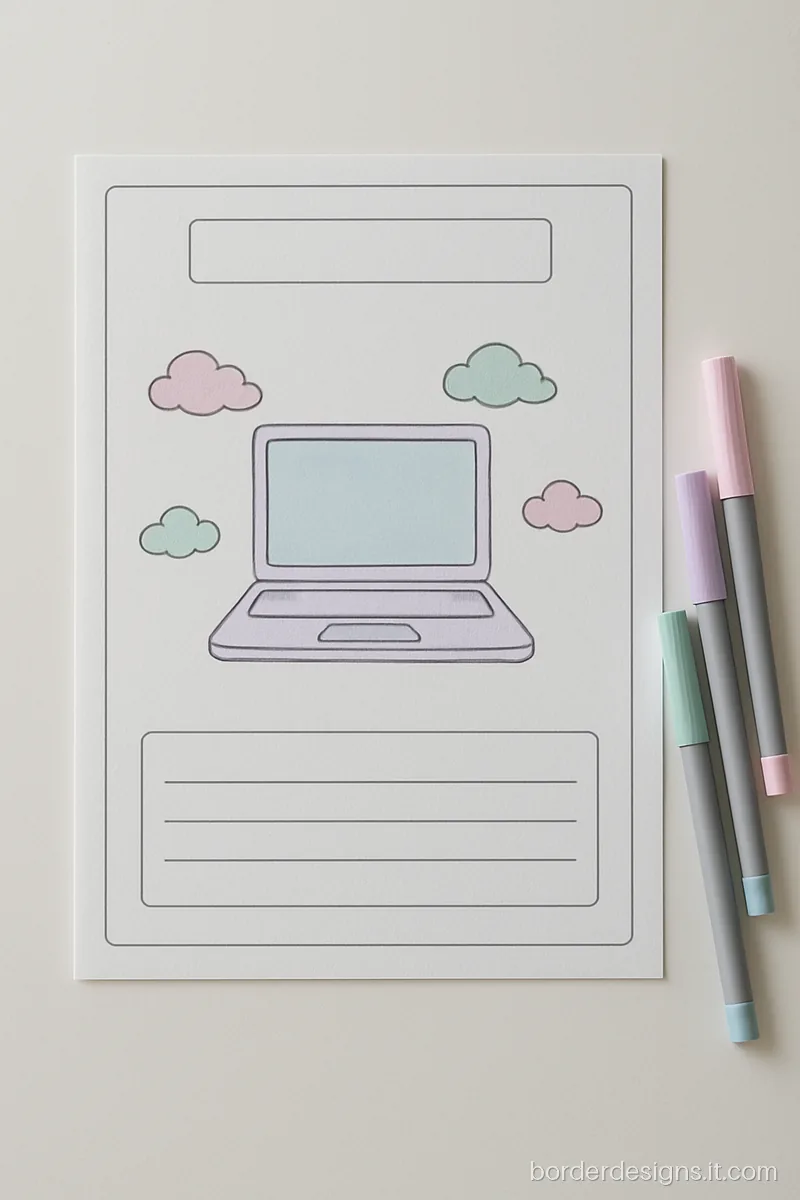
Laptop outline, clouds
Pastel brush pens, grey fineliner
- SkillEasy, class 6 plus
- Time50 minutes
A single laptop drawn in thin lilac lines, floating among a few pastel clouds, looks gentle and grown up. Good for class 8 to 11 students who want a quiet cover.
How to draw it: 4 steps
- Draw the laptop 9 cm wide, centred in the middle third of the page.
- Use one grey 0.3 mm line for every outline; no black at all.
- Keep clouds to five or six, smaller near the corners.
- Write the title in grey too, so nothing shouts louder than the drawing.
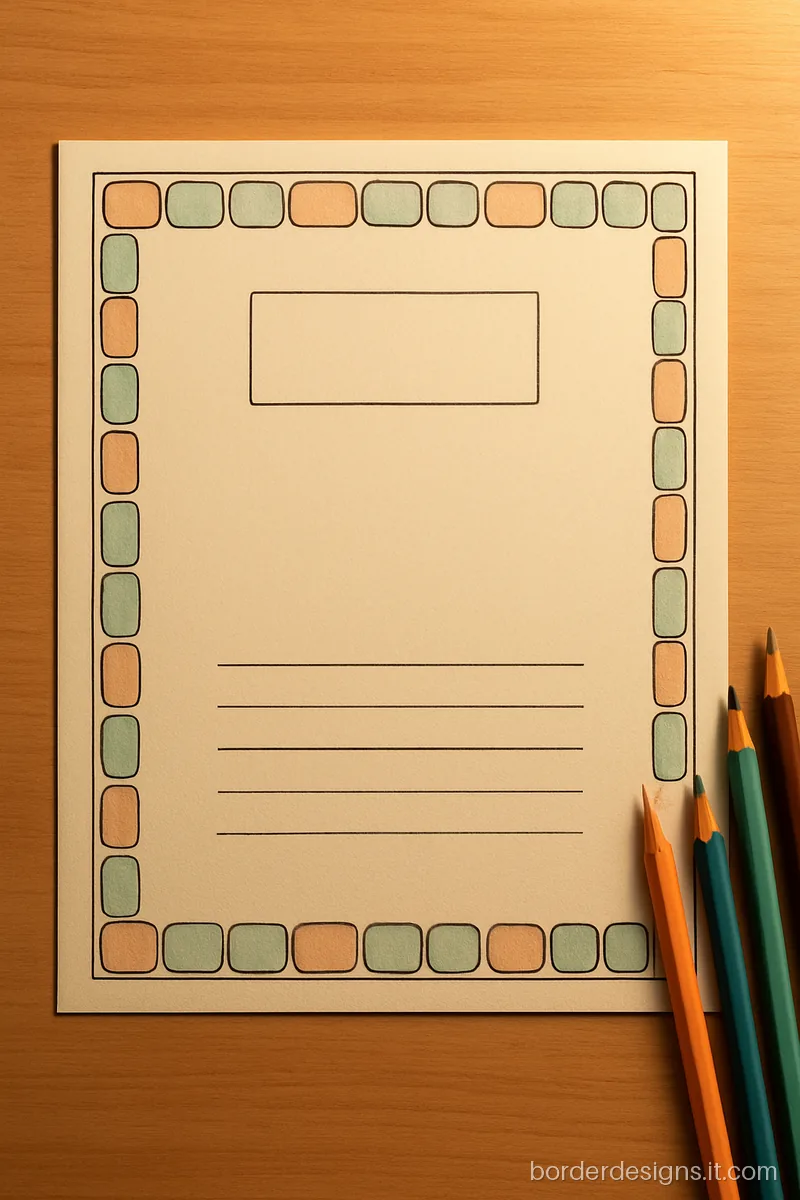
Pastel keycap rows
Colour pencils, black fineliner
- SkillMedium, class 7 plus
- Time1 hour
Rows of rounded keycaps in three pastel shades work as a border and a theme at the same time. The empty keycaps look tidy and leave space for a short title.
How to draw it: 4 steps
- Draw each keycap as a 1.5 cm rounded square with a smaller square inside.
- Leave 3 mm between keys so they read as separate buttons.
- Repeat peach, mint and sky blue in the same order every row.
- Make one key at the right end wider, like a space or enter key.
02Computer Project Front Page Design for Class 10 and Class 12
Board class files are checked by an external examiner as well as your teacher. Keep them clean, formal and easy to read, with every detail in its box.

Circuit corners, monitor
Blue and black fineliners
- SkillMedium, class 9 plus
- Time1 hour
Circuit tracks in the corners and a plain monitor in the centre say computer at once without clutter. Suitable for the class 10 computer applications file.
How to draw it: 4 steps
- Rule a single frame 1.2 cm from every edge in black.
- Draw circuit tracks in each corner: straight lines with small end circles.
- Make the monitor 8 by 6 cm with a short stand below it.
- Place the details box 2 cm above the bottom frame line.

Navy band, double frame
Navy brush pen, 0.5 mm black pen
- SkillMedium, class 11 plus
- Time1 hour
A solid navy band across the top, a thin double frame and one large pointer cursor make a sober cover that suits a senior computer science project.
How to draw it: 4 steps
- Fill a 4 cm band across the top with even navy strokes in one direction.
- Draw the double frame 3 mm apart below the band.
- Make the cursor about 5 cm tall, slanting to the left.
- Once the navy dries, the title goes on it in white gel pen.
03Handmade Cover Page for Computer Project
Cut paper and craft scraps make a cover that stands out in a stack. A handmade computer front page design also hides shaky drawing, because shapes are cut and stuck rather than drawn.

Cut paper keyboard
Grey and black paper, glue stick
- SkillEasy, class 5 plus
- Time1 hour
Small squares of grey paper glued in rows on a black strip make a keyboard that feels real to the touch. A fun computer project front page design handmade for class 5 to 8.
How to draw it: 4 steps
- Cut a black strip 18 by 5 cm for the keyboard base.
- Cut about 40 grey squares of 1 cm; a paper punch is faster.
- Glue keys in four rows, leaving 2 mm gaps, with one long space bar.
- Keep the glue stick thin so the squares do not wrinkle.

Mouse cable border
Coloured paper, black sketch pen
- SkillEasy, class 3 plus
- Time45 minutes
A cut paper mouse whose cable curls right round the sheet as the border is playful and quick. It suits computer holiday homework for classes 3 to 6.
How to draw it: 4 steps
- Cut the mouse from red paper, about 5 cm tall, and stick it at the bottom right.
- Draw the cable as one wavy black line starting at the mouse.
- Let the cable loop round all four sides about 1.5 cm from the edge.
- Add three small paper stars near the top for a holiday feel.
04Information Technology Front Page Design
IT projects cover networks, the cloud and data, so these covers use nodes, lines and simple device icons. Each works as a cover page design for information technology project files in classes 9 to 12.

Network nodes and cloud
Teal and black fineliners
- SkillEasy, class 7 plus
- Time45 minutes
Dots joined by straight lines around a cloud shape show networking in the simplest way. This IT front page design needs only a ruler and two pens.
How to draw it: 4 steps
- Draw the cloud 7 cm wide in the middle of the sheet.
- Place 12 to 15 small circles around it at different distances.
- Join each circle to the cloud or a neighbour with a ruled line.
- Fill every third circle teal so the web looks balanced.
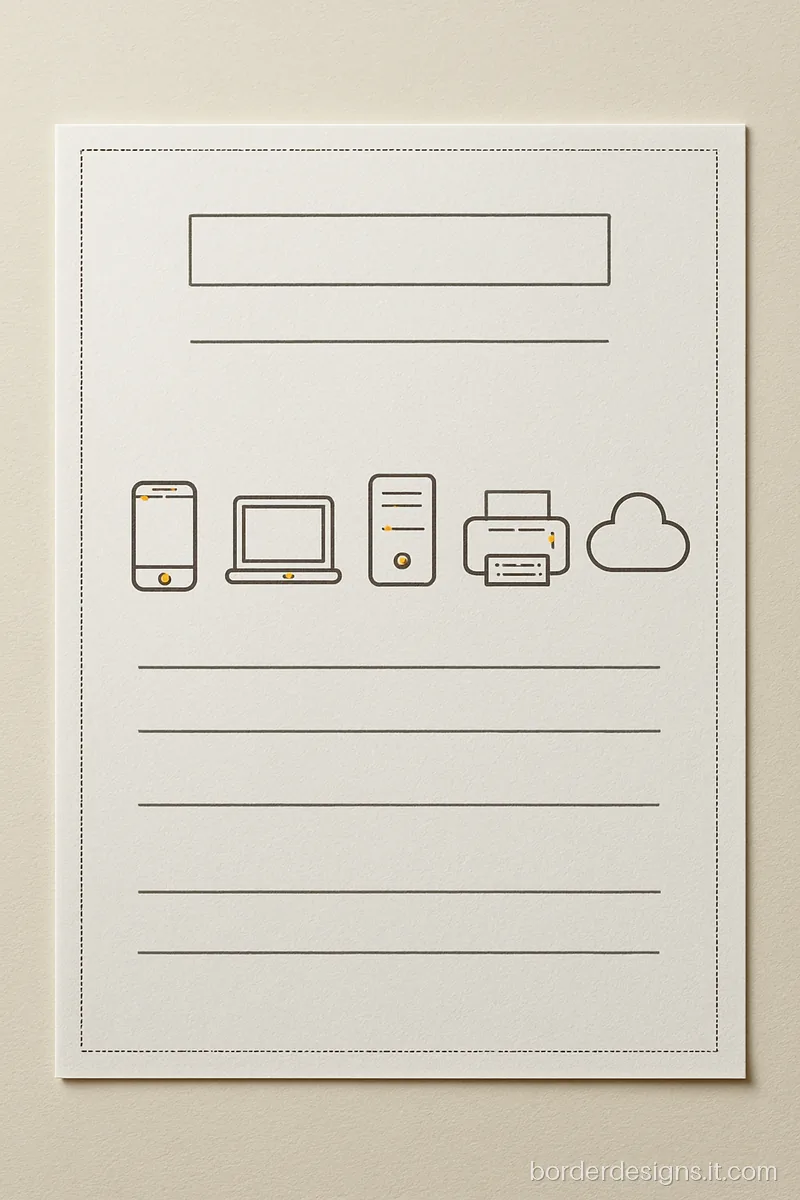
Device icon band
Grey and orange sketch pens
- SkillMedium, class 9 plus
- Time1 hour
A band of simple device icons across the middle shows the range of IT in one line. The details box below stays large for long college or vocational course details.
How to draw it: 4 steps
- Rule a 5 cm band across the centre with two thin grey lines.
- Fit five icons in it, each about 2.5 cm, spaced 1 cm apart.
- Outline in grey and use orange for one detail on each icon.
- Keep the top third for the title and nothing else.
05Internship Report and Entrepreneurship Front Page Design
College reports need a sober cover with room for course, semester, registration and the guide's name. Keep decoration to the edges and let the details box breathe.

Striped corner triangles
Grey and black pens, ruler
- SkillEasy, college level
- Time40 minutes
Two triangles of grey stripes in opposite corners give a professional internship front page design. It prints well too, if you prefer to draw it once and photocopy.
How to draw it: 4 steps
- Mark a right triangle 6 cm along each edge at top left and bottom right.
- Fill each triangle with ruled diagonal stripes 4 mm apart.
- Rule a details box with seven lines for college details.
- Leave the other two corners plain for balance.

Bulb, gears, rising graph
Yellow and black sketch pens
- SkillMedium, class 11 plus
- Time1 hour
A lightbulb for the idea, gears for the work and a rising graph for growth tell the whole entrepreneurship story in one picture. It suits class 11 and 12 entrepreneurship files.
How to draw it: 4 steps
- Draw the bulb 6 cm tall in the centre with two small gears inside.
- Add a rising zigzag graph line behind it in light grey.
- Colour only the bulb yellow; keep everything else black and grey.
- Rule a 1 cm wide yellow strip along the left edge as the border.
What to Write on a Computer Project Cover Page
The drawing gets attention, but the details get you marks. Check your teacher's list first; most schools want these, top to bottom:
| Area | School project | College or internship report |
|---|---|---|
| Top band | Project title, subject: Computer Science, Computer Applications or IT | Report title, course name |
| Middle third | The picture: laptop, keys, circuit, network | A small motif or nothing |
| Details box | Your name, class, section, roll number and session | Name, semester, enrolment or registration number |
| Bottom lines | Submitted to (teacher), submitted by (you), school name | Guide or professor, organisation of internship, college name |
Write the details in pencil first. Once every line fits, ink it with a 0.5 mm black pen.
Drawing Computer Motifs With a Ruler
- Monitor: a rectangle about 8 by 6 cm, a second rectangle 5 mm inside it for the screen, then a short neck and a flat base.
- Laptop: a screen rectangle on top of a slanted base. Draw the base as a long thin trapezium, slightly wider than the screen.
- Keycaps: rounded squares of 1 to 1.5 cm in rows. Shift each row by a quarter of a key, like a real keyboard.
- Circuit tracks: straight lines that bend only at 45 or 90 degrees, ending in small circles.
- Cursor: a tall narrow triangle with a short tail at the bottom right.
Stick to two colours plus black. Blue, teal and grey feel technical; add one warm colour such as orange or yellow for a single highlight.
Common Mistakes on Computer Front Pages
- Drawing a brand symbol on the laptop lid. Teachers prefer a plain lid; it also avoids copying a trademark.
- Filling the screen with fake code. Tiny scribbles look messy. Leave the screen as a flat colour or draw a few simple window boxes.
- Squeezing the details. Rule the details box before the picture, so the drawing has to fit around it, not the other way.
- Printing a downloaded picture. A printed clip image on a handmade cover looks pasted. If you print, print the whole cover.
Making a matching set? Use the same frame on the certificate and index pages, and look at the business studies covers if you also submit a commerce file.
The same title band, picture and details box layout is explained step by step in the front page design guide.
Questions students ask
What is the best computer project front page design for class 10?
A thin frame, circuit tracks in the corners and one monitor or laptop outline in the middle. Keep the title at the top and the details box at the bottom. It looks formal and takes about an hour.
How do I make an aesthetic cover page for a computer project?
Use pastel colours, grey outlines instead of black and a single device outline with a few clouds or keycaps. Leave plenty of empty space around the title.
What should an internship report front page include?
The report title, your name, course, semester, registration number, the organisation where you interned, your guide or professor and the college name. Follow your department's format if it gives one.
Can I make a handmade computer front page design without drawing?
Yes. Cut keycaps, a monitor and a mouse from coloured paper and glue them on. Cut shapes look neat even if your freehand lines are not.
Is an IT front page design different from a computer science one?
Only in motifs. Information technology covers often show networks, clouds and devices, while computer science covers show keyboards, code windows and circuit tracks. The details box is the same.